Best 4K Blu-ray Player 2026: Budget to High-End Picks

Our top pick is the Panasonic DP-UB9000 (under $2,500); the Panasonic DP-UB820 (under $1,000) is the best value and the best 4K Blu-ray player for most home theaters: Dolby Vision, HDR10+, HDR10 and HLG, with lossless Dolby TrueHD Atmos passthrough. On a budget, the Sony UBP-X700 (under $500) plays the same discs with Dolby Vision but no HDR10+, and discs still carry up to 128 Mbps of video against 15 to 25 Mbps for the best 4K streams.

Watch: 4K Blu-ray vs Streaming: Can You Really See the Difference?

Updated 2026

Quick answer

The top pick is the Panasonic DP-UB9000 (under $2,500) for large screens and high-end audio; the Panasonic DP-UB820 is the best value and the best 4K Blu-ray player for most home theaters at under $1,000, supporting Dolby Vision, HDR10+, HDR10, and HLG with lossless Dolby TrueHD Atmos passthrough. On a budget, the under-$500 Sony UBP-X700 plays the same discs without HDR10+. Discs carry video at up to 128 Mbps against 15-25 Mbps for the best 4K streams.

Best budget 4K Blu-ray player

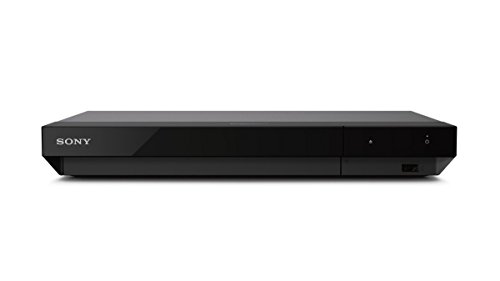
The best budget 4K Blu-ray player is the Sony UBP-X700: it costs under $500, plays Dolby Vision and HDR10 discs, and passes lossless Dolby Atmos and DTS:X to your receiver. What you give up against the Panasonic DP-UB820 is HDR10+ and the HDR Optimizer tone mapping, which matters most on projectors and dimmer TVs. If your TV is an HDR10+ model and not Dolby Vision, the Panasonic DP-UB420 is the budget alternative.

Best 4K Blu-ray player with Dolby Vision

Four players in this guide play Dolby Vision: the Sony UBP-X700 and UBP-X800M2, and the Panasonic DP-UB820 and DP-UB9000. Only the two Panasonic models also play HDR10+, so they are the right choice if your library has both. The table compares them.

Budget and mid-range 4K Blu-ray players compared.
PlayerDolby VisionHDR10+BudgetWhy pick it
Sony UBP-X700YesNoUnder $500Lowest cost way to get Dolby Vision, lossless Atmos passthrough and SACD
Panasonic DP-UB420NoYesUnder $500Budget player for HDR10+ TVs
Panasonic DP-UB820YesYesUnder $1,000Both formats plus HDR Optimizer tone mapping; best value for most
Sony UBP-X800M2YesNoUnder $500Sony with more audio features than the X700

⚖️ Deciding between the top two? See our head-to-head: Panasonic DP-UB820 vs Sony UBP-X700.

Why Physical Media Still Matters in 2026

Streaming is convenient, but it is not the best your home theater can look or sound. Even the highest-quality 4K streams from Netflix, Disney+, or Apple TV+ top out at roughly 15-25 Mbps. A 4K Ultra HD Blu-ray disc delivers up to 128 Mbps of video data, more than five times the bitrate of the best streams. That extra bandwidth means more detail in dark scenes, smoother color gradients without banding, finer textures in wide landscape shots, and zero compression artifacts during fast action sequences. If you have invested in a quality display and a proper AV receiver with a surround sound system, a 4K Blu-ray player unlocks the full potential of your equipment.

The audio difference is even more dramatic. Streaming services deliver Dolby Atmos via compressed Dolby Digital Plus at roughly 768 kbps. A 4K Blu-ray disc carries lossless Dolby TrueHD Atmos or DTS:X at bitrates exceeding 18 Mbps, more than twenty times the data rate. This means uncompressed, bit-for-bit identical audio as the studio master, with full dynamic range, precise spatial positioning of every Atmos object, and bass extension that compressed formats simply cannot reproduce. For anyone with a Dolby Atmos speaker system, the leap from streaming Atmos to disc-based Atmos is immediately audible.

Beyond quality, physical media means ownership. Titles disappear from streaming platforms regularly as licensing deals expire. Your disc collection plays the same today as it will in twenty years. The 4K Blu-ray player market in 2026 has consolidated around a few proven models, making the buying decision straightforward. We compared each player using manufacturer specifications, professional review measurements, and verified owner reviews, drawing on documented performance with the most demanding demo discs to assess real-world performance.

Build Your Home Theater

Use our calculators to optimize your display and audio setup, then add a 4K Blu-ray player to unlock the full quality your system can deliver.

Screen Size Calculator Speaker Sizing Calculator

What Matters When Choosing a 4K Blu-ray Player

Not all 4K Blu-ray players are created equal. While every player in this guide will read a 4K UHD disc and output a beautiful image, the differences in HDR processing, video upscaling, audio handling, and build quality determine whether you are getting good or reference-grade performance from your disc library.

Dolby Vision and HDR Format Support

4K Blu-ray discs can carry Dolby Vision, HDR10, or HDR10+ high dynamic range metadata. HDR10 is the baseline standard supported by every 4K disc and every player. Dolby Vision adds dynamic scene-by-scene metadata that optimizes highlights, shadows, and color for your specific display. HDR10+ is Samsung's competing dynamic format found on a smaller number of discs, primarily Universal titles.

The Panasonic DP-UB820 and DP-UB9000 support all three formats, giving you the widest compatibility. Sony players support Dolby Vision and HDR10 but not HDR10+. If your display supports Dolby Vision, prioritize a player with DV support to get the most from your TV or projector. The player's HDR tone mapping also matters: Panasonic's HCX processor is widely regarded as the best at mapping HDR content to your display's actual brightness capabilities.

Lossless Audio Passthrough

Every 4K Blu-ray player passes through lossless Dolby TrueHD Atmos and DTS:X audio over HDMI to your receiver. This is the primary reason to buy a disc player: the full, uncompressed surround sound mix as the studio intended. Set your player to bitstream output and connect directly to your AV receiver for the best results.

Where players differ is in their analog audio outputs. Premium players like the Panasonic DP-UB9000 and OPPO UDP-203 include high-quality DACs and dedicated analog stereo or multichannel outputs for audiophile-grade two-channel listening. If you have a dedicated HiFi system or want to play SACDs and DVD-Audio discs through analog outputs, the premium players deliver noticeably better analog sound quality than budget models.

Video Processing and Upscaling

A great 4K Blu-ray player does more than just read discs. It also upscales your existing DVD and standard Blu-ray library to near-4K quality. The best upscaling processors analyze each frame for edges, textures, and noise, then intelligently scale the image without introducing artifacts. Panasonic's HCX processor and the OPPO UDP-203's reference video processing are particularly strong at making 1080p Blu-rays look remarkably close to native 4K.

Chroma upsampling is another differentiator. 4K Blu-ray discs store color information at 4:2:0 subsampling, meaning color resolution is half the luminance resolution. Better players upsample this to 4:4:4 more accurately, resulting in sharper color edges and more natural-looking skin tones. This is subtle but visible on large screens and projectors where every pixel is magnified.

Build Quality and Streaming Apps

Premium 4K Blu-ray players use heavier chassis, isolated power supplies, and low-noise transports that reduce vibration and electrical interference. While these differences are difficult to measure in blind video tests, they contribute to long-term reliability and quieter disc operation during movie playback. Budget players use lighter, noisier drives that may be audible in a quiet, acoustically treated room.

Most 4K Blu-ray players also include built-in streaming apps like Netflix, Amazon Prime Video, and YouTube. However, these apps are typically slower and less frequently updated than on dedicated streaming devices. We recommend using a separate streaming device for your streaming apps and reserving your Blu-ray player exclusively for disc playback, where it excels.

Our Top Picks at a Glance

We compared each player using manufacturer specifications, professional review measurements, and verified owner reviews, looking at performance with demanding HDR titles, lossless Atmos soundtracks, and standard Blu-ray upscaling. These six players represent the best options for every budget and use case in 2026.

Category Player Key Feature Budget
Top Pick Panasonic DP-UB9000 Reference video, audiophile analog outputs Under $2,500
Best Value Panasonic DP-UB820 Dolby Vision, HDR10+, HCX processor Under $1,000
Best Budget Sony UBP-X700 Dolby Vision, compact, budget-friendly Under $500
Best for SACD & Audio Sony UBP-X800M2 Dolby Vision, SACD, dual HDMI outputs Under $500
Best for Audiophiles OPPO UDP-203 Reference video, SACD and DVD-Audio $2,500+
Best for HDR10+ TVs Panasonic DP-UB420 HDR10+, twin HDMI, 4K streaming Mid-range

The table above lists the best 4K Blu-ray player in each category with its standout feature and price, and the spread runs from the under-$500 Sony UBP-X700 to the $2,500-plus OPPO UDP-203.

Detailed 4K Blu-ray Player Reviews

Panasonic DP-UB9000

Top Pick

Why it is the top pick: it is the same Panasonic HCX picture processing as the DP-UB820 with Dolby Vision and HDR10+, and the extra spend buys 7.1-channel analog outputs with dedicated DACs, a balanced XLR stereo output and a heavier power supply that the UB820 does not have. If you only use HDMI into a receiver, the UB820 below is the better value.

The Panasonic DP-UB9000 is the reference-grade 4K Blu-ray player for home theaters where picture and sound quality are the top priority. It uses the same HCX processor as the DP-UB820 but adds significantly upgraded analog audio circuitry, a dedicated linear power supply for the audio section, and a heavier, more rigid chassis that reduces vibration and electrical noise. The result is a player that delivers the absolute best picture quality of any consumer 4K Blu-ray player while also serving as a legitimate audiophile-grade source component.

Video performance is exceptional. The DP-UB9000 supports Dolby Vision, HDR10+, HDR10, and HLG with Panasonic's proprietary HDR Optimizer that maps the disc's metadata to your display's measured capabilities. Chroma upsampling from 4:2:0 to 4:4:4 is handled with a precision that produces visibly sharper color edges and more natural skin tones than budget players. The difference is most apparent on large screens above 85 inches and on projectors where pixel-level quality matters.

The audio section is where the DP-UB9000 truly separates itself. It includes dedicated 7.1-channel analog audio outputs driven by high-quality DACs, making it the only player in this price range that can output decoded multichannel audio directly to an analog input on a preamp or integrated amplifier. For SACD and DVD-Audio playback through a high-end two-channel system, the analog outputs deliver noticeably better sound than HDMI PCM output through most receivers. HDMI passthrough for lossless Atmos and DTS:X is flawless. If you demand the absolute best from every disc, the DP-UB9000 is the player that leaves nothing on the table.

  • HCX processor with HDR Optimizer
  • Dolby Vision / HDR10+ / HDR10 / HLG
  • Dolby TrueHD Atmos / DTS:X passthrough
  • 7.1-channel analog audio outputs
  • High-quality DACs for analog output
  • SACD / DVD-Audio playback
  • 2 HDMI outputs (audio/video split)
  • Heavy isolated chassis construction

Panasonic DP-UB820

Best Value

Best value: for most buyers who connect over HDMI, this is the pick. The Panasonic DP-UB820 is the 4K Blu-ray player we recommend to most home theater owners. It delivers reference-quality picture processing at a price that does not require a second mortgage. The HCX (Hollywood Cinema Experience) processor handles HDR tone mapping better than any player in its price class, intelligently adapting the disc's HDR metadata to your display's actual brightness capabilities. This means you see the full range of highlights and shadow detail the director intended, whether you have a 1,000-nit OLED or a 300-nit projector.

Format support is comprehensive. The DP-UB820 is one of the few players that supports both Dolby Vision and HDR10+ in addition to standard HDR10 and HLG. This means every 4K disc in your collection plays in its optimal HDR format regardless of which standard the studio chose. Audio passthrough includes lossless Dolby TrueHD Atmos and DTS:X over HDMI, plus DTS-HD Master Audio and high-resolution PCM. The player also supports SACD playback, though only via HDMI rather than analog outputs.

Upscaling of standard Blu-rays and DVDs is excellent. The HCX processor applies intelligent noise reduction and edge enhancement that makes 1080p content look remarkably close to native 4K on a large screen. The player is quiet during operation, loads discs in roughly 15-20 seconds, and includes built-in streaming apps including Netflix and Amazon Prime Video, though we recommend a dedicated streaming device for those. For the best picture quality at a reasonable price, the DP-UB820 is the clear winner and the ideal companion for any serious home theater.

  • HCX video processor
  • Dolby Vision / HDR10+ / HDR10 / HLG
  • Dolby TrueHD Atmos passthrough
  • DTS:X / DTS-HD MA passthrough
  • SACD playback (HDMI)
  • 2 HDMI outputs (audio/video split)
  • 4K upscaling for Blu-ray and DVD
  • Built-in streaming apps

Sony UBP-X700

Best Budget

The Sony UBP-X700 proves that you do not need a premium player to get excellent 4K Blu-ray playback. At under $500, it is an affordable way to add a dedicated disc player to your home theater, and it performs well above its price point. Dolby Vision support was added via firmware update, putting it on equal footing with far more expensive players for HDR format compatibility. The compact form factor fits easily into any equipment rack, and the player is quiet enough for a dedicated theater room.

Audio passthrough is complete: lossless Dolby TrueHD Atmos and DTS:X pass through the main HDMI output to your receiver without any transcoding. For streaming-only Atmos users upgrading to disc-based lossless audio for the first time, the improvement through the X700 is immediately obvious. The player also handles SACD playback over HDMI, making it a solid entry point for exploring high-resolution audio formats. DVD upscaling is adequate but not as refined as the Panasonic models, with occasional softness in fine detail.

The main trade-offs at this price are the lack of HDR10+ support and slightly slower disc loading times compared to premium players. Like the pricier decks, it has two HDMI outputs, one of them audio-only, for older receivers. The built-in streaming apps are basic and slow. None of these compromises affect the core disc playback quality, which is genuinely excellent. If your budget is limited and you want to experience what 4K Blu-ray can really deliver through your receiver and speakers, the X700 is the smartest entry point. Spend the savings on a few great Atmos demo discs.

  • Dolby Vision / HDR10 / HLG
  • Dolby TrueHD Atmos passthrough
  • DTS:X / DTS-HD MA passthrough
  • SACD playback (HDMI)
  • 2 HDMI outputs (one audio-only)
  • 4K upscaling for Blu-ray and DVD
  • Compact form factor
  • Built-in streaming apps (basic)

Sony UBP-X800M2

Best for SACD & Audio

The Sony UBP-X800M2 sits between the budget X700 and the premium Panasonic players, offering a meaningful step up in build quality and video processing; current listings run under $500, so it is worth the step up from the X700 if you also play SACDs. It supports Dolby Vision and HDR10 with Sony's own HDR processing that produces a clean, natural image without the over-sharpening some budget players apply. The chassis is more substantial than the X700 with better vibration damping, and the disc transport is noticeably quieter during playback.

Audio capabilities are a highlight. Like all players in this guide, the X800M2 passes through lossless Dolby TrueHD Atmos and DTS:X over HDMI. It also supports SACD and DVD-Audio playback with a dedicated high-precision audio mode that minimizes digital noise during music playback. For home theater owners who also value two-channel music listening through their system, the X800M2 handles both duties well. The player includes dual HDMI outputs, allowing you to send video to your display and audio to your receiver separately, which can solve compatibility issues in some setups.

The X800M2 lacks HDR10+ support, which means Universal titles with HDR10+ will fall back to standard HDR10. In practice, the visible difference between HDR10 and HDR10+ is subtle on most displays. Disc loading is faster than the X700 at roughly 15 seconds for most 4K discs. The streaming app selection includes Netflix and Amazon Prime Video but the interface is slow. For anyone who owns SACDs or wants a sturdier Sony than the X700, the X800M2 is the pick; if picture quality is the priority, the Panasonic DP-UB820 is the better use of similar money. It pairs excellently with a mid-range 5.1 surround system.

  • Dolby Vision / HDR10 / HLG
  • Dolby TrueHD Atmos passthrough
  • DTS:X / DTS-HD MA passthrough
  • SACD / DVD-Audio playback
  • 2 HDMI outputs (audio/video split)
  • High-precision audio mode
  • 4K upscaling for Blu-ray and DVD
  • Improved chassis and quiet transport

OPPO UDP-203

Best for Audiophiles

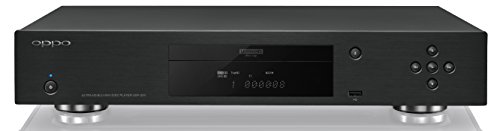
The OPPO UDP-203 is the universal disc player that home theater enthusiasts and audiophiles still hold up as the reference, years after OPPO exited the disc-player business. It is the rare player that does everything: 4K UHD Blu-ray, standard Blu-ray, DVD, CD, SACD, and DVD-Audio, all from a single, beautifully engineered chassis. Because OPPO discontinued the line, prices on the secondary market have climbed well above the original retail, but for collectors who want one machine to handle every disc format with reference-grade quality, nothing has truly replaced it.

Video performance is exceptional. The UDP-203 handles Dolby Vision and HDR10 with clean, accurate tone mapping, and its video processing for both 4K discs and upscaled standard Blu-rays and DVDs is among the best ever shipped in a consumer player. The player supports every physical format you are likely to own, making it a true universal player for libraries that span 4K UHD, legacy Blu-ray, DVD, and high-resolution SACD and DVD-Audio music discs.

HDMI handling is a highlight: two HDMI outputs let you route lossless Dolby TrueHD Atmos and DTS:X to your receiver on one output while sending video to your display on the other, and passthrough of every lossless audio format is flawless. The UDP-203 does not support HDR10+, which limits some Universal titles to standard HDR10, but the vast majority of 4K discs use Dolby Vision as their dynamic HDR format. As a discontinued reference player, the UDP-203 is a serious investment, but for audiophiles who play SACDs and high-resolution music through a quality two-channel system and also want the best 4K disc playback, it remains the gold-standard universal player.

  • Universal disc playback
  • Dolby Vision / HDR10 / HLG
  • Dolby TrueHD Atmos / DTS:X passthrough
  • Reference-grade video processing
  • Stereo and 7.1 analog audio outputs
  • SACD / DVD-Audio / CD playback
  • 2 HDMI outputs (audio/video split)
  • Heavy, rigid chassis construction

Panasonic DP-UB420

Best for HDR10+ TVs

The DP-UB420 is Panasonic's entry 4K Blu-ray player, and it earns a place here for one kind of buyer: anyone with a Samsung TV or projector that uses HDR10+ rather than Dolby Vision. It plays HDR10+, HDR10 and HLG discs, uses Panasonic's HCX processor for 4K chroma upsampling, and has the twin HDMI outputs (one audio-only) that let an older receiver handle lossless Atmos while video goes straight to the display.

What you give up against the DP-UB820 is Dolby Vision and the HDR Optimizer tone mapping; what you give up against the Sony players is Dolby Vision and SACD disc playback. If your display does not support Dolby Vision anyway, neither matters, and the UB420 gives you the HDR10+ dynamic metadata the Sony decks skip. It also streams Netflix, YouTube and Prime Video in 4K and plays hi-res music files, including DSD.

  • HDR10+ / HDR10 / HLG (no Dolby Vision)
  • Dolby TrueHD Atmos passthrough
  • DTS:X / DTS-HD MA passthrough
  • 2 HDMI outputs (one audio-only)
  • HCX processor, 4K chroma upsampling
  • 4K streaming apps
  • Hi-res audio file playback

4K Blu-ray Player Comparison Table

This side-by-side comparison shows the key specifications that matter most for home theater use. Use this table to quickly identify which player matches your requirements for HDR formats, audio outputs, and budget. For help choosing the right audio system to pair with your player, see our 5.1 vs 7.1 vs Atmos comparison guide.

Feature DP-UB820 DP-UB9000 UBP-X700 UBP-X800M2 UDP-203 DP-UB420
Price Under $1,000 Under $2,500 Under $500 Under $500 $2,500+ Mid-range
Dolby Vision Yes Yes Yes Yes Yes No
HDR10+ Yes Yes No No No Yes
Dolby Atmos TrueHD Atmos TrueHD Atmos TrueHD Atmos TrueHD Atmos TrueHD Atmos TrueHD Atmos
DTS:X Yes Yes Yes Yes Yes Yes
SACD HDMI only HDMI + Analog HDMI only HDMI only HDMI + Analog No
HDMI Outputs 2 2 2 2 2 2
Analog Outputs No 7.1 RCA No No XLR + 7.1 RCA No
Streaming Apps Yes Yes Yes Yes No Yes

The table above compares all six players on price, HDR formats, lossless audio, SACD, HDMI outputs, analog outputs, and streaming apps, and only the two Panasonic decks add HDR10+ on top of Dolby Vision.

4K Blu-ray vs Streaming: The Quality Gap Explained

The convenience of streaming is undeniable, but the quality gap between a 4K Blu-ray disc and the best available stream remains enormous. Understanding the specific technical differences helps explain why serious home theater owners continue to invest in physical media alongside their streaming devices.

Video Bitrate and Compression

A 4K UHD Blu-ray disc delivers video at bitrates up to 128 Mbps using HEVC (H.265) compression. Netflix's highest-quality 4K streams top out at roughly 16 Mbps, and Apple TV+ at about 25-30 Mbps. This five-to-eight-times bitrate advantage means the disc has far more data to work with when representing every frame. Video bitrate is the amount of data used to describe one second of picture, which is why a 128 Mbps disc keeps detail that a 16 Mbps stream has to discard.

The difference is most visible in challenging scenes: dark sequences with subtle shadow gradients (think Dolby Vision demos), fast action with lots of motion (fight scenes, racing), wide landscape shots with fine texture detail (grass, fabric, hair), and scenes with gradual color transitions (sunsets, skin tones). Streaming compression causes macro-blocking in dark scenes, color banding in gradients, and detail smearing in motion that disc-based playback avoids entirely.

Lossless Audio vs Compressed

This is where the gap is widest. A 4K Blu-ray Dolby TrueHD Atmos track runs at up to 18 Mbps, delivering lossless, bit-for-bit identical audio to the studio master. Streaming Atmos via Dolby Digital Plus maxes out at 768 kbps, roughly 1/24th the data rate. The lossless track preserves the full dynamic range, precise spatial positioning of every Atmos object, and deep bass extension that compression strips away.

On a quality Atmos system with multiple height speakers and a capable subwoofer, the difference between streaming and disc-based Atmos is immediately audible. Overhead effects are more precisely placed, bass hits harder with more texture, and the overall soundstage has a three-dimensionality that compressed audio flattens. For anyone who invested in a quality subwoofer and surround speakers, disc-based audio is the format that justifies the investment.

Color Depth and HDR

4K Blu-ray discs use 10-bit color depth natively, providing 1,024 shades per color channel for over one billion colors. While streaming services also deliver 10-bit HDR, the heavy compression means the effective color precision is lower, resulting in visible banding in smooth gradients. Dolby Vision on disc carries 12-bit color metadata that maps down to your display's 10-bit panel with frame-by-frame precision.

The higher bitrate on disc also means better color accuracy in the BT.2020 wide color gamut. Subtle color differences between similar shades, like the varying greens in a forest scene or the warm-to-cool transitions in a sunset, are preserved more faithfully on disc. On a calibrated display, especially a quality projector with good color coverage, disc-based content simply looks more lifelike and natural than the same title streamed.

Ownership and Availability

Streaming libraries are constantly shifting as licensing deals expire and content moves between platforms. Movies you watched on Netflix last month may disappear tomorrow with no warning. Some titles are exclusive to a single platform for limited windows, and catalog titles are regularly pulled entirely. A physical disc collection ensures permanent access to every title you own, playable anytime without an internet connection or subscription.

4K Blu-ray discs also include bonus features, director commentaries, behind-the-scenes documentaries, and alternate cuts that are often unavailable or incomplete on streaming versions. For film enthusiasts who value the complete package, disc ownership provides a deeper engagement with the art form. The resale value of rare and out-of-print 4K discs continues to hold strong, making a well-curated collection both an entertainment asset and a modest investment. Use our top demo movies guide to start building your reference collection.

4K Blu-ray Player Setup Tips

Getting the best picture and sound from your 4K Blu-ray player requires correct HDMI connections, proper audio settings, and a few adjustments to your display and receiver. These tips apply to all players and ensure you are hearing lossless audio and seeing the full HDR image quality your discs contain. A rack of stacked source components is also worth running through a home theater surge protector, since one grid surge can take out the player and the receiver together.

HDMI Connection: Player to Receiver

Always connect your 4K Blu-ray player directly to your AV receiver via HDMI, then connect the receiver to your TV. This ensures your receiver receives the full lossless Dolby TrueHD Atmos or DTS:X bitstream directly from the player. If you connect the player to your TV first, you are depending on eARC to send audio back to the receiver, which adds complexity and potential compatibility issues.

If your player has dual HDMI outputs (like the Panasonic DP-UB820), you can route HDMI 1 (main) to your receiver for both audio and video passthrough, or split them: HDMI 1 for audio to your receiver and HDMI 2 for video directly to your display. The split configuration is useful if your receiver does not support 4K Dolby Vision passthrough.

Audio Output: Set to Bitstream

Set your player's audio output to Bitstream, not PCM. Bitstream sends the raw encoded audio data to your receiver for decoding, preserving lossless quality and all Atmos/DTS:X object metadata. PCM mode forces the player to decode the audio internally and sends uncompressed multichannel PCM, which works but strips Atmos height channel metadata on most players.

After setting bitstream output, play a 4K disc with a Dolby TrueHD Atmos soundtrack and check your receiver's display. It should show Dolby TrueHD/Atmos or Dolby Atmos, not Dolby Digital or Multichannel PCM. If it shows a compressed format, check that your HDMI cable supports 18 Gbps bandwidth (Premium High Speed HDMI) and that your receiver's HDMI input is set to accept enhanced signals.

HDR Display Settings

Enable enhanced HDMI mode on the TV or projector input connected to your player or receiver. Without this, the display limits the HDMI port to 8-bit color and may disable HDR entirely. The setting is found under different names: Samsung calls it Input Signal Plus, LG calls it HDMI ULTRA HD Deep Color, and Sony calls it Enhanced Format.

If your player supports both Dolby Vision and HDR10+, set it to Auto or Priority mode so it selects the best available format on each disc. The Panasonic DP-UB820 lets you set Dolby Vision as the priority when a disc contains both formats, ensuring you get dynamic HDR whenever possible. Also enable HDR tone mapping in your player settings if available, which optimizes the HDR image for your display's actual peak brightness.

Disc Care and Player Maintenance

Keep your discs clean by handling them by the edges and storing them in their cases. Fingerprints and dust cause read errors that manifest as brief freezes or pixelation during playback. Clean discs with a soft, lint-free cloth wiping from the center outward in straight lines, never in circular motions which can cause scratches that follow the data tracks.

Keep your player firmware updated. Manufacturers regularly release firmware updates that add HDR format support, fix compatibility issues with specific disc releases, and improve playback stability. The Panasonic DP-UB820 received its HDR10+ support through a firmware update, and Sony added Dolby Vision to the UBP-X700 the same way. Connect your player to your network and check for updates periodically, or enable automatic updates if the option is available.

Sources

  • Panasonic DP-UB820 and DP-UB9000 specifications (Panasonic)
  • Sony UBP-X700 and UBP-X800M2 specifications (Sony)
  • Ultra HD Blu-ray format specification (Blu-ray Disc Association): up to 128 Mbps video
  • Dolby Vision, HDR10+ and Dolby TrueHD format documentation
  • Amazon.com listings, prices and stock checked 2026 through the Amazon Associates product API

Researched from published specifications and standards, not hands-on testing. Not professional installation advice. Prices change often.

Upgrade Pick and What You'll Also Need

If you want the reference pick instead, or you are buying the first disc player for a new system, these are the parts that finish the job.

Building the whole room? Our home theater setups price out complete systems at budget, mid-range, premium and luxury levels.

Deal season note: Prices on these often drop during Prime Big Deal Days and Black Friday. The picks and prices above were checked against live Amazon listings for 2026; if a price looks different when you click through, the listing has changed since.

Frequently Asked Questions

The Panasonic DP-UB820 and DP-UB9000. Both bitstream Dolby Atmos and DTS:X to a receiver and add 7.1-channel analog outputs, and the UB9000 adds a balanced XLR stereo output and a heavier power supply for two-channel listening. If SACD playback matters, the Sony UBP-X800M2 and UBP-X700 are the picks, since the Panasonics do not play SACD.

The Sony UBP-X700 (under $500) is the cheapest player we recommend with Dolby Vision, and it passes Dolby Atmos and DTS:X to your receiver. It skips HDR10+, and Amazon stock comes and goes, so if it shows as backordered the Sony UBP-X800M2 (under $500) is the step-up Sony with the same Dolby Vision support and SACD playback.

Yes. It remains the best-value player with every major HDR format (Dolby Vision, HDR10+, HDR10, HLG), Panasonic's HDR Optimizer tone mapping for projectors and dimmer TVs, and lossless audio passthrough. Only reference players like the DP-UB9000 or a used OPPO UDP-203 clearly outperform it.

The Panasonic DP-UB820 (under $1,000) is the best 4K Blu-ray player for most people: it plays Dolby Vision and HDR10+ discs, has Panasonic's HDR Optimizer tone mapping, and passes lossless Atmos to your receiver. Step up to the Panasonic DP-UB9000 (under $2,500) for reference video and audio, or save with the Sony UBP-X700 (under $500). For a head-to-head, see Panasonic UB820 vs Sony X700.

The Sony UBP-X700 at under $500. It plays 4K Ultra HD Blu-ray with Dolby Vision and HDR10, passes Dolby Atmos and DTS:X to a receiver, and plays SACDs. What you give up against the Panasonic UB820 is HDR10+ and the finer HDR tone mapping.

A Panasonic player. Projectors have far lower peak brightness than TVs, and the HDR Optimizer in the DP-UB820 and DP-UB9000 tone maps HDR discs to suit the display it feeds, which keeps highlight detail on a projector screen. Pair it with our best home theater projectors.

A 4K Blu-ray player delivers significantly better picture and sound quality than streaming. 4K Blu-ray discs offer bitrates up to 128 Mbps compared to streaming's 15-25 Mbps, resulting in more detail, less compression artifacts, and better color gradation. Audio is lossless Dolby TrueHD Atmos or DTS:X at up to 18 Mbps versus streaming's compressed Dolby Digital Plus at 768 kbps. If you have a quality display and a surround sound system, the difference is immediately visible and audible. You also own the content permanently without worrying about titles leaving streaming platforms.

Both Dolby Vision and HDR10+ are dynamic HDR formats that optimize picture quality scene by scene. Dolby Vision uses 12-bit color depth and dynamic metadata controlled by the content creator, while HDR10+ uses 10-bit color with its own dynamic metadata. The key difference for Blu-ray buyers is disc support: most major studios release 4K Blu-rays with Dolby Vision, while HDR10+ support on disc is limited primarily to Universal titles. The Panasonic DP-UB820 supports both formats, making it the most versatile choice.

Yes, all 4K Blu-ray players pass through Dolby Atmos and DTS:X audio to your AV receiver via HDMI. Unlike streaming devices that send compressed Dolby Digital Plus Atmos, a 4K Blu-ray player outputs the full lossless Dolby TrueHD Atmos track from the disc. This means uncompressed, bit-for-bit identical audio as the studio master. The player does not decode the audio itself; it passes the bitstream to your receiver for decoding. Any 4K Blu-ray player with an HDMI output will pass through lossless Atmos and DTS:X to a compatible receiver.

Yes, every 4K Ultra HD Blu-ray player is fully backward compatible with standard 1080p Blu-ray discs, DVDs, and audio CDs. Many players also upscale DVD and Blu-ray content to near-4K quality using built-in video processing. The Panasonic DP-UB820 and DP-UB9000 are particularly acclaimed for their upscaling performance, making your existing disc library look noticeably better on a 4K display. Some premium players like the OPPO UDP-203 also support SACD and DVD-Audio high-resolution audio formats.

Price differences reflect video processing quality, audio DAC quality, build construction, and HDR format support. Budget players like the Sony UBP-X700 at under $500 play 4K discs with excellent quality and pass through all audio formats. Mid-range players like the Panasonic DP-UB820 at under $1,000 add superior HDR tone mapping, Dolby Vision plus HDR10+ support, and better upscaling. Premium players like the DP-UB9000 and OPPO UDP-203 add audiophile-grade analog audio outputs, dedicated power supplies, and reference-level video processing.

Your AV receiver does the decoding. The 4K Blu-ray player reads the lossless audio bitstream from the disc and passes it through HDMI to your receiver unchanged. The receiver then decodes the Dolby TrueHD Atmos or DTS:X signal and sends the appropriate audio to each speaker in your Atmos system. Make sure your player is set to bitstream output rather than PCM in the audio settings, and connect via HDMI directly to your receiver rather than through your TV.

The Panasonic DP-UB9000 is widely regarded as having the best picture quality of any consumer 4K Blu-ray player. Its HCX processor delivers superior HDR tone mapping that optimizes the image for your specific display. The Panasonic DP-UB820 uses the same core video processing at a lower price point and is considered the best value for picture quality. Both support Dolby Vision and HDR10+ for the widest HDR format compatibility. For most viewers, the DP-UB820 delivers 95 percent of the DP-UB9000's picture quality at a fraction of the price.

The Panasonic DP-UB820 (under $1,000) is the best 4K Blu-ray player for most home theaters: it supports both Dolby Vision and HDR10+, has Panasonic's HDR Optimizer tone mapping, and passes through lossless Dolby TrueHD Atmos and DTS:X. On a budget, the Sony UBP-X700 (under $500) covers Dolby Vision and plays 4K discs with excellent quality. If price is no object, the reference-grade Panasonic DP-UB9000 adds audiophile analog outputs and the best video processing available.

The best high-end 4K players are the Panasonic DP-UB9000 (under $2,500) and the OPPO UDP-203. The DP-UB9000 pairs reference video processing with 7.1-channel analog outputs, high-quality DACs, a linear power supply, and SACD/DVD-Audio playback. The OPPO UDP-203 is the classic universal high-end player, prized for its reference video processing and universal disc support including SACD and DVD-Audio; it is discontinued, so expect to pay a premium on the secondary market. Both make sense on large screens and in systems with serious two-channel audio.

Related Guides

TheaterCalc is reader-supported. When you buy through links on our site, we may earn an affiliate commission at no additional cost to you. This does not influence our recommendations. All opinions are our own. See our affiliate disclosure for details.